
Project Overview
Timeline:
Platform
My Role:
Tools:
Redesigning Custom Meals Builder for Canada's Award-Winning Meal Delivery Service
Introduction
Power Kitchen is a Toronto-based premium meal delivery service that helps busy professionals, athletes, and health-conscious Canadians achieve their nutritional goals through chef-crafted, nutritionist-approved meals.
The Custom Meals feature allows customers to build personalized meal boxes by selecting their own proteins, carbs, and vegetables—a key differentiator in a competitive market.
However, the existing Custom Meals page was creating significant friction in the customer journey.
The Challenge
Power Kitchen's Custom Meals builder was outdated and confusing—only long-time customers could navigate it successfully. New users abandoned the flow, resulting in high customer service complaints and low conversion rates.
Core Problems:
All options (proteins, carbs, veggies) displayed simultaneously → cognitive overload
No visual feedback on selections → user uncertainty
Small thumbnails buried nutritional data → poor information hierarchy
Outdated UI inconsistent with Power Kitchen's premium brand
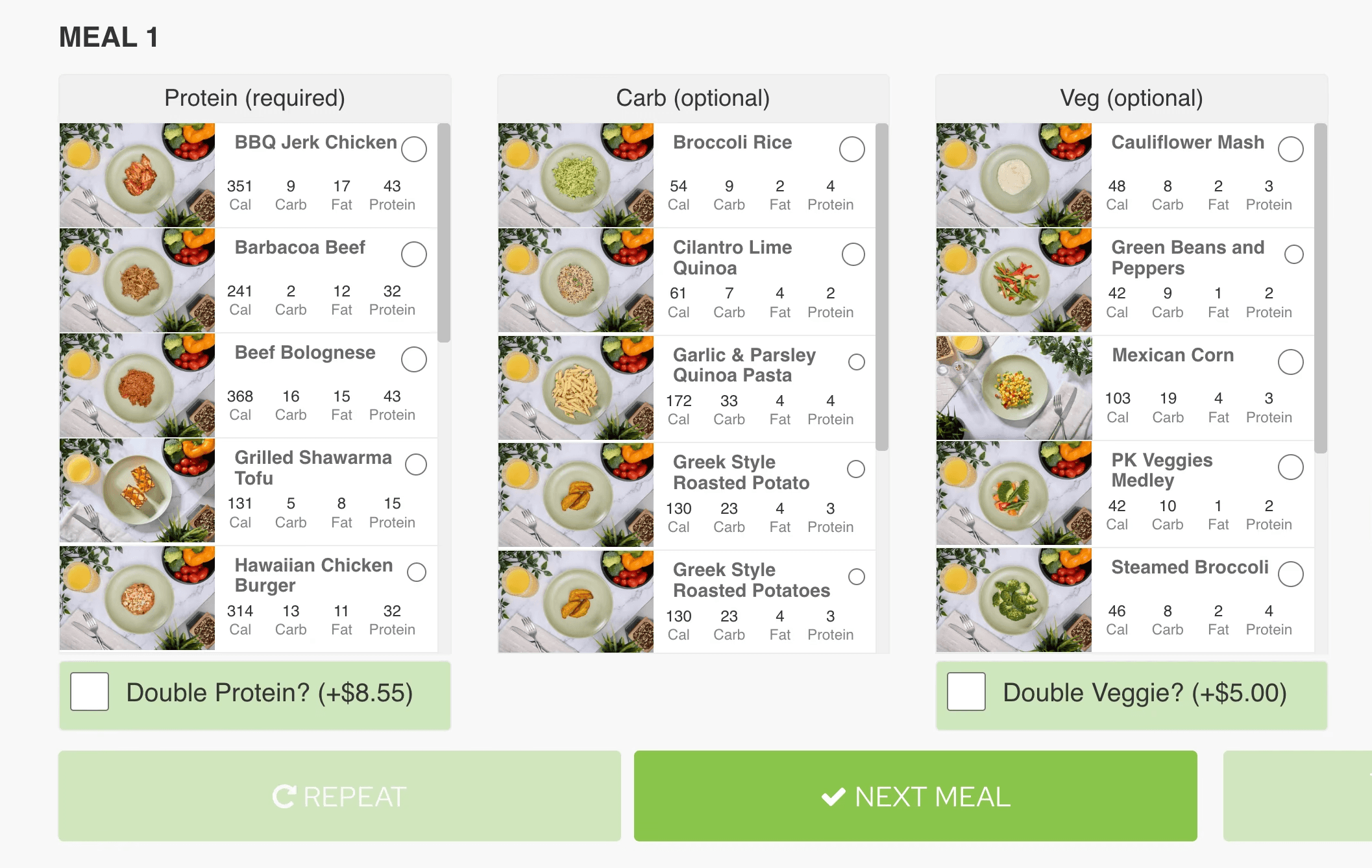
Previous Catalog
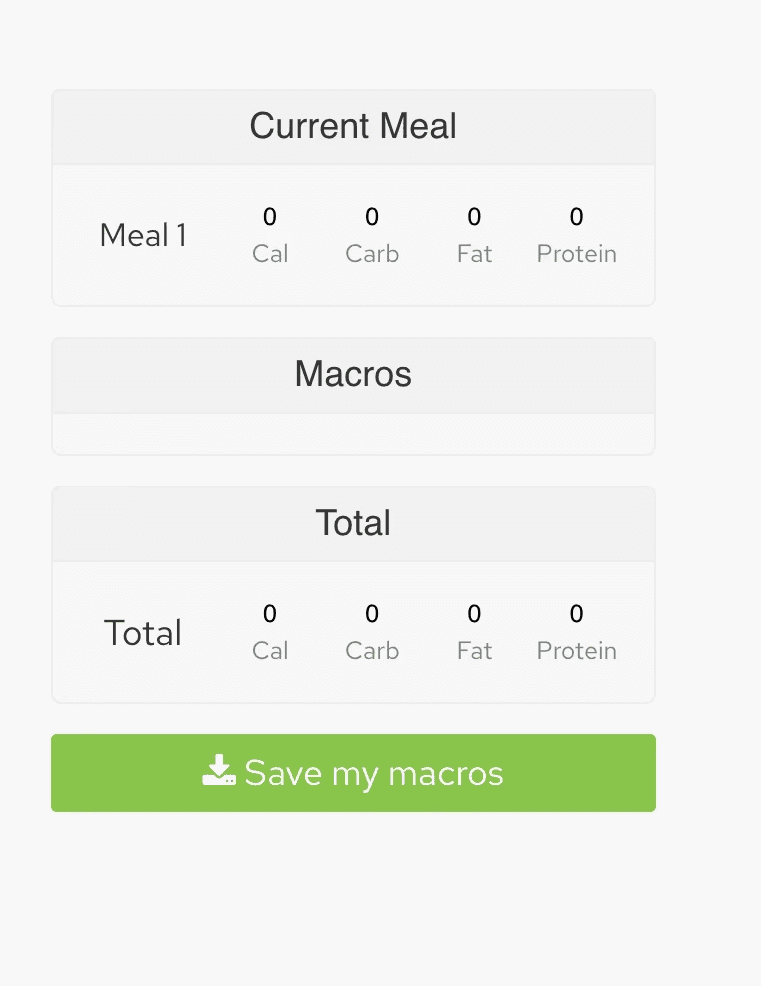
Previous Side Info Card
The Solution
I redesigned the experience as a guided, step-by-step journey that reduces cognitive load while maintaining all business requirements.
Key Design Decisions
1. Sequential Selection Flow
Before: Everything at once
After: Three focused steps (Protein → Carbs → Veggies)
Why: Users can focus on one decision at a time, reducing overwhelm and enabling larger, more appetizing imagery.
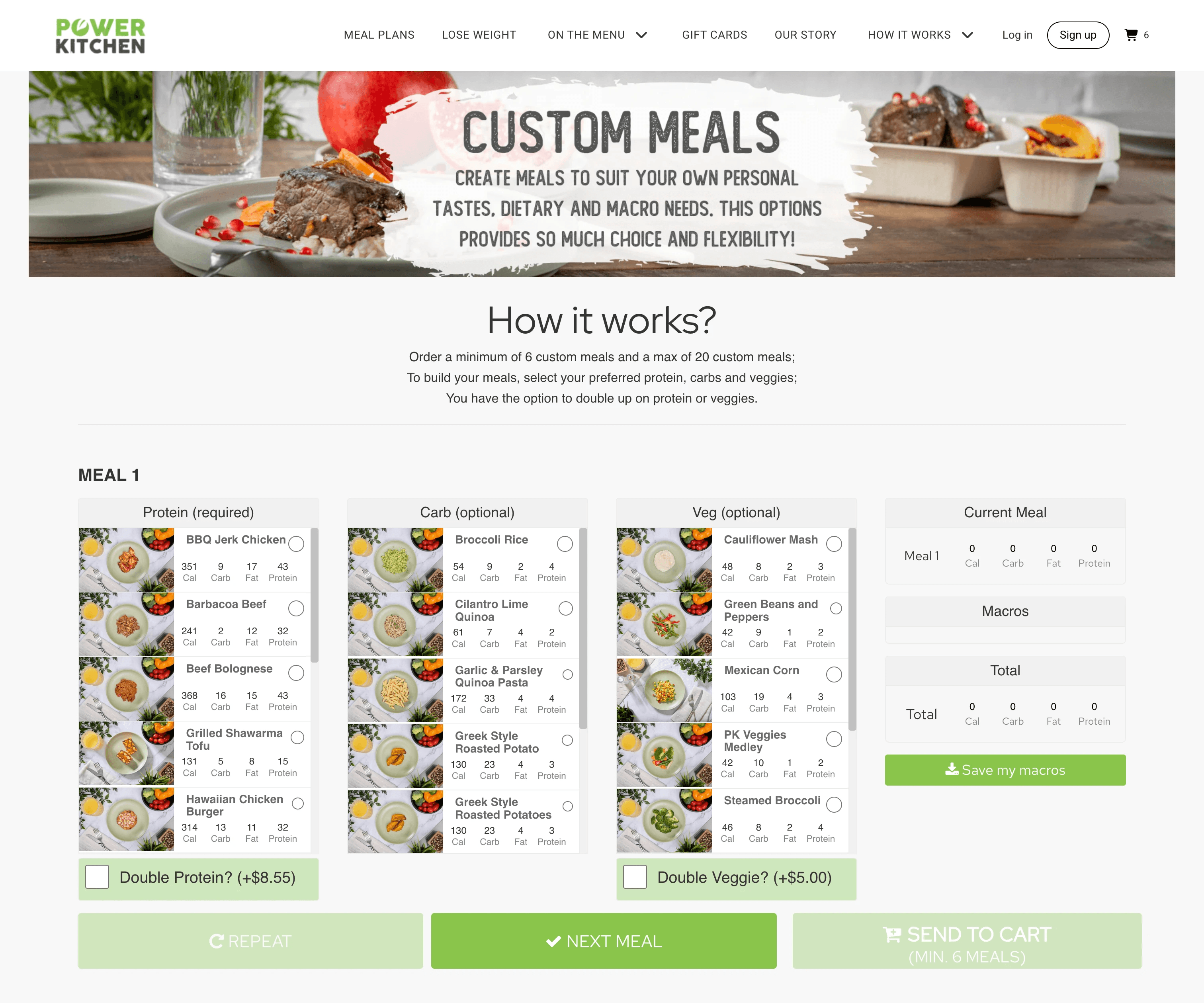
Previous Custom Meal Flow
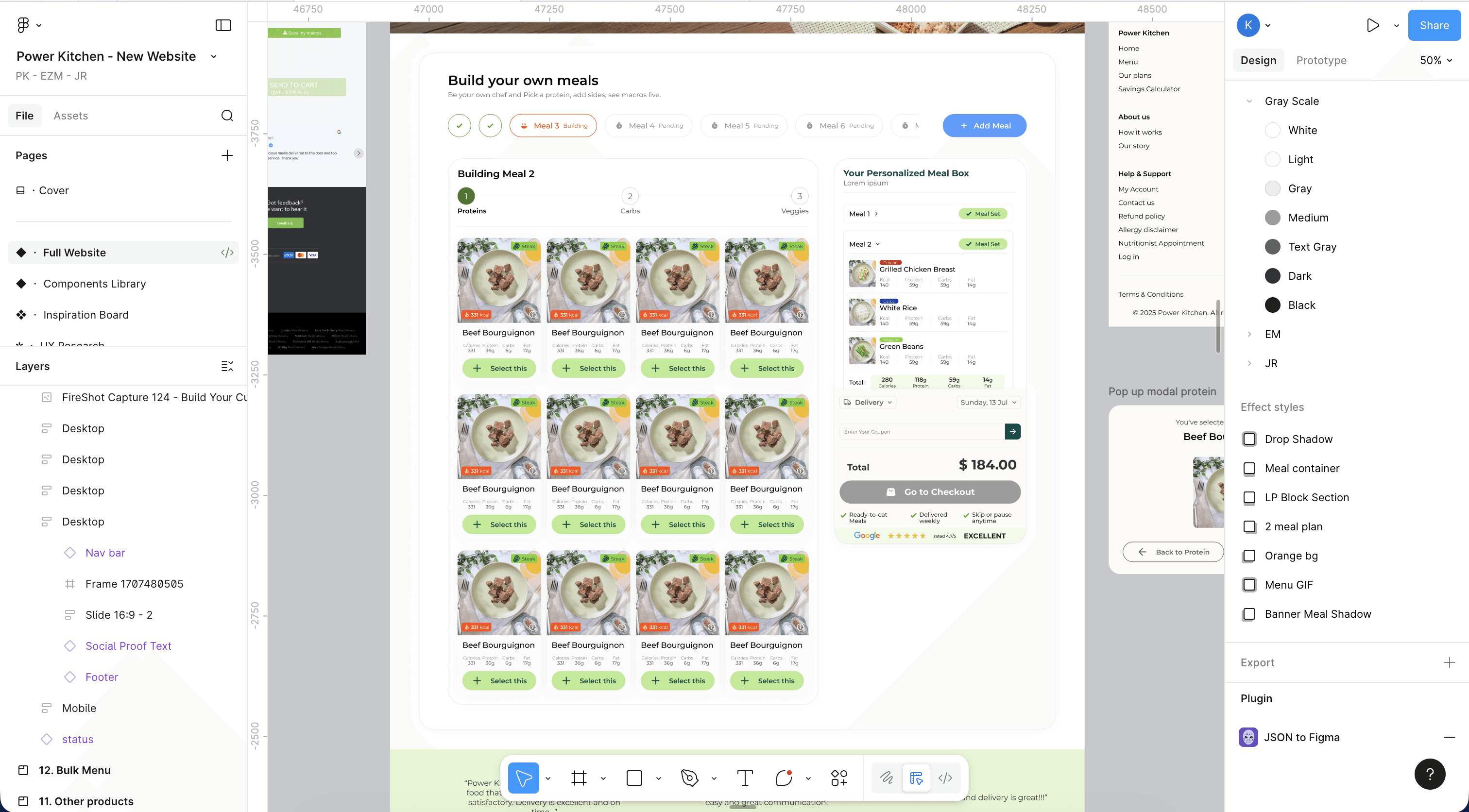
New Custom Meal Flow
2. Continuous Visual Feedback
Implemented multiple feedback mechanisms:
Step indicators (1/3, 2/3, 3/3)
"Building" status badges
Real-time macro updates in sidebar
Toast notifications confirming selections
Why:
Every action receives acknowledgment, building confidence and reducing anxiety about progress.
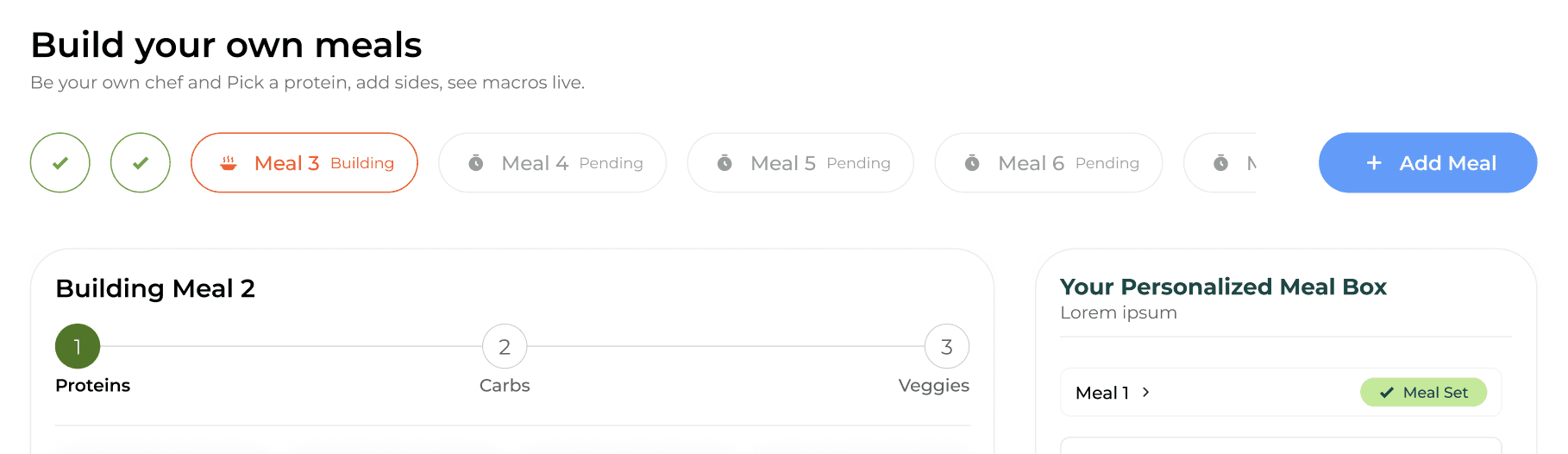
Steps indicator
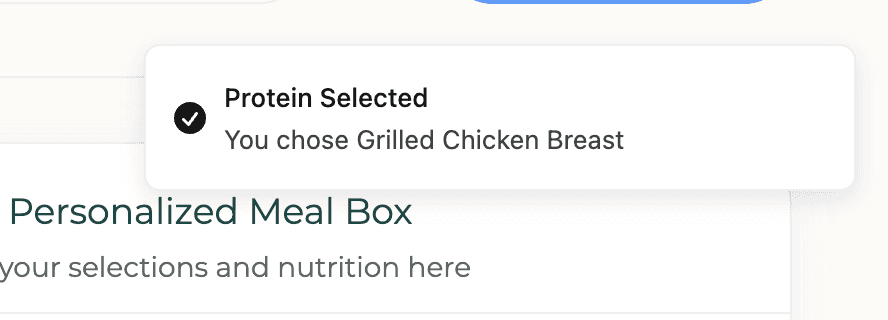
Toast notification
3. Information Hierarchy for Health-Conscious Users
Prioritized macros and calories over descriptive text.
Why:
Power Kitchen's customers are goal-oriented (athletes, weight management). Nutritional data drives purchase decisions.
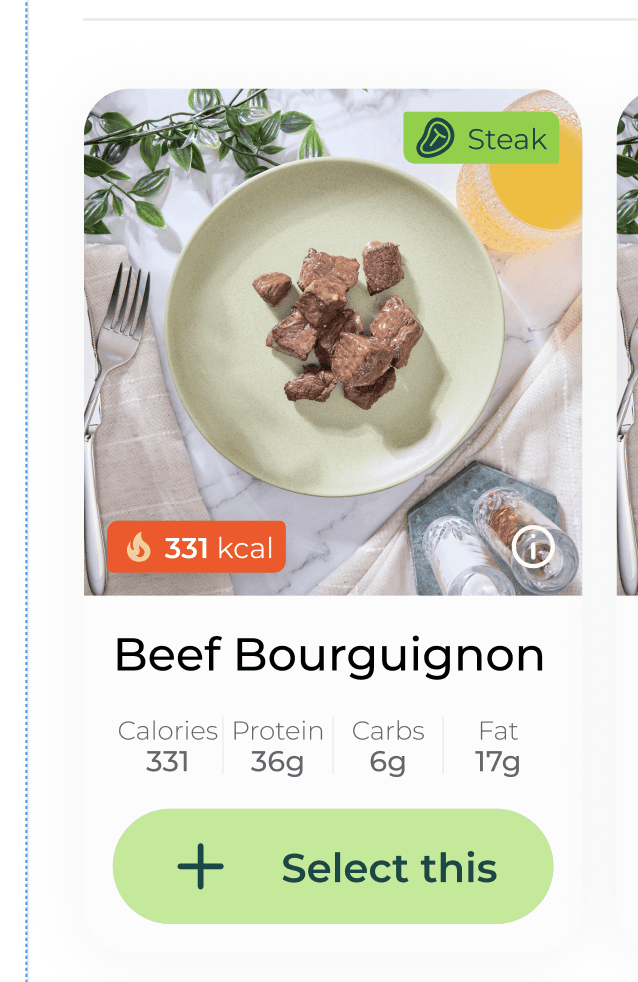
Meal card showing macros
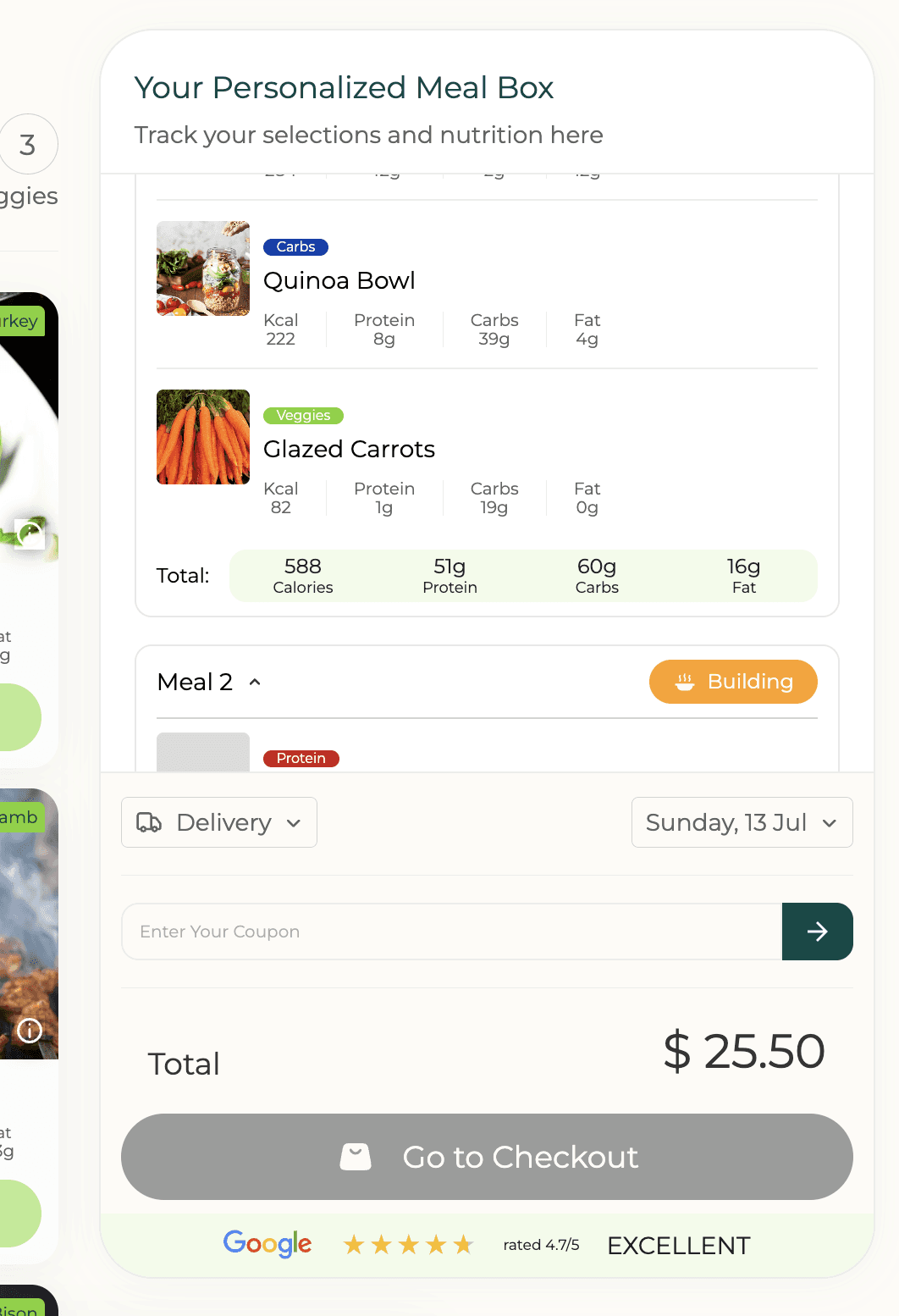
4. Persistent Cart Visibility
Right sidebar shows live totals, macro calculations, and delivery date throughout the journey.
Why: Users always know where they stand relative to minimum order (6 meals) and can see nutritional impact of choices in real-time.
Cart on the side
Design Process
Constraints Mapped
Minimum 6 meals, maximum 20
Double portion options (+$5.55 protein, +$5.00 carbs)
Real-time macro calculations required
Must work within Shopify's architecture
Prototype Innovation
First real-world use of Figma Make for advanced prototyping with:
Conditional logic (enable checkout after 6 meals)
Real-time calculations
Dynamic state management across multiple meal builds
Why Figma Make: Native Figma prototyping couldn't handle the complexity. This enabled full user testing without engineering resources.
Impact & Next Steps
Pre-Launch:
Usability testing with target users
A/B test against current version
Expected Improvements:
Reduced customer service tickets related to custom meals
Higher completion rates (started → finished)
Faster time to build 6 meals
Increased first-time custom meal conversions
Key Learnings
Response-Driven UX: Every user action needs acknowledgment. Toast notifications, state changes, and visual feedback build confidence and reduce uncertainty.
Constraints as Creative Fuel: Business rules (minimum orders, pricing models) weren't limitations—they shaped a more focused, guided experience.
AI Tools as Accelerators: Figma Make compressed weeks of back-and-forth into days, enabling rapid validation of complex interactions.
Reflection
Great UX removes friction. By transforming a complex task into manageable steps with clear feedback, we empowered customers to confidently build personalized meals aligned with their health goals—all while maintaining Power Kitchen's premium brand experience.